OS Aerial Photography / MasterMap Imagery — Frequently Asked Questions
General Questions
What is OS MasterMap Imagery Layer?
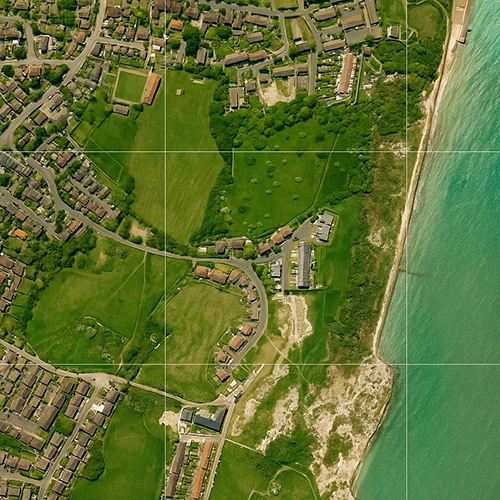
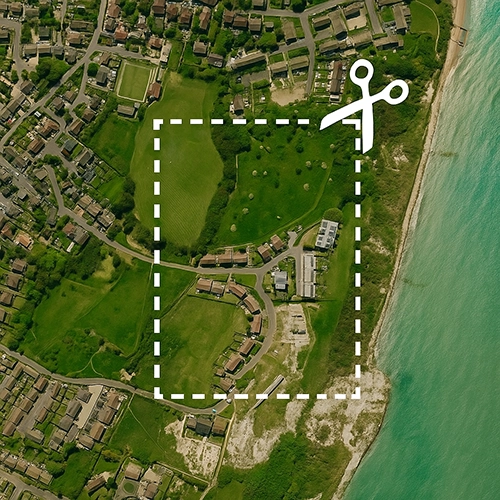
OS MasterMap Imagery Layer is Ordnance Survey’s official aerial photography product — high-resolution, up-to-date coverage of Great Britain,
true-orthorectified and aligned precisely to MasterMap for accurate spatial referencing.
Product: OS MasterMap Imagery Layer (GIS/AOI)
How long has UK Map Centre been supplying OS aerial photography?
We’ve supplied official OS aerial products for 20+ years as an Ordnance Survey Premium Partner.
How quickly can I receive aerial photography?
Fast digital turnaround via download link — typically within ~20–30 minutes, 7 days a week.
What makes OS aerial photography different?
It’s officially licensed, true-orthorectified and precisely aligned to OS coordinates (OSGB36/BNG), ensuring accuracy for professional measurement,
overlay, and analysis in CAD/GIS.
Choosing the Right Product
What’s the difference between 1:1250 and 1:2500 aerial extracts?
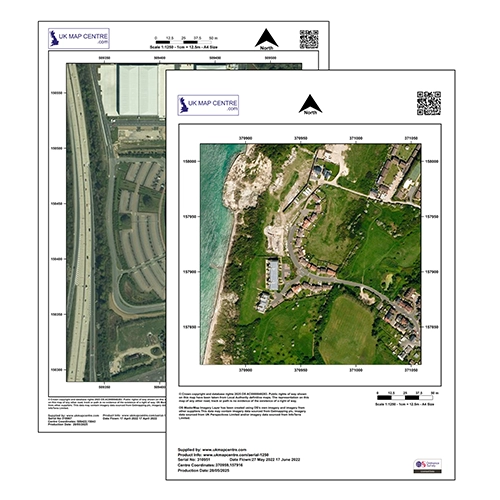
1:1250 — more detailed, zoomed-in coverage for site analysis (most popular for planning).
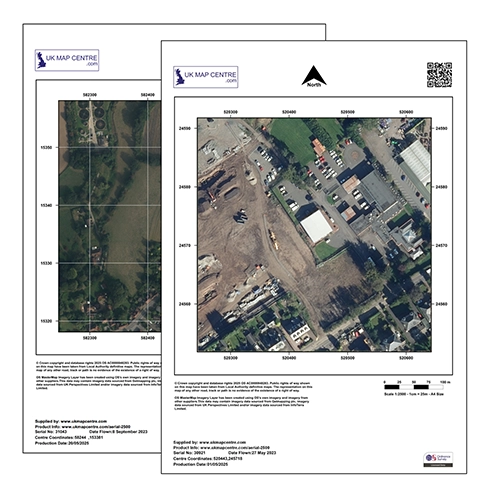
1:2500 — wider area with slightly less detail when you need broader context.
Products: Aerial 1:1250 • Aerial 1:2500
Which scale should I choose for planning applications?
1:1250 is the most popular for planning — it clearly shows site features, boundaries and context alongside your standard OS 1:1250 extract.
Products: Aerial 1:1250 • OS 1:1250 Planning Extract
What’s the difference between Aerial Extracts and Imagery Layer Tiles/Sections?
Aerial Extracts (1:1250 / 1:2500) — ready-to-use image files (JPG/PDF) for reports and planning documents.
Imagery Layer Tiles/Sections — GIS-ready GeoTIFF for professional workflows.
Products: Imagery Tiles (1 km) • Imagery AOI (Sections)
Tiles vs Sections — which should I use for GIS work?
Choose Tiles (1 km × 1 km) for standardised coverage or large areas.
Choose Sections (AOI) to buy only the exact area you need. (See our guidance on Tiles vs Sections/AOI.)
Products: Tiles • AOI/Sections
What formats are the different products delivered in?
Aerial Extracts — JPG/PDF (report/portal friendly).
Imagery Layer Tiles & Sections — GeoTIFF (georeferenced raster) for GIS software.
Technical Questions
What does “true-orthorectified” mean?
The imagery is geometrically corrected to remove camera tilt, terrain effects and building lean,
yielding a consistent top-down view for accurate distance/area measurement.
What is “building lean removal”?
It removes the apparent outward tilt of tall buildings common in raw aerial photos, ensuring a true vertical footprint that aligns perfectly with OS vector data.
Can I make accurate measurements from OS aerial photography?
Yes — because it’s orthorectified and aligned to OS coordinates, enabling reliable distance and area measurements (especially in GIS platforms).
What does “aligned to OS MasterMap Topography Layer” mean?
The imagery is precisely georeferenced to match OS MasterMap vectors, so you can overlay photography with mapping features for verification and analysis.
Usage & Applications
What can I use OS aerial photography for?
Planning applications, site surveys, environmental assessments, land-use analysis, boundary verification, engineering and landscape design,
asset management, and reducing repeat site visits.
How does aerial photography reduce site visits?
Up-to-date imagery lets you assess access, boundaries and surrounding context remotely — making site visits more efficient and targeted.
Is OS aerial photography suitable for planning applications?
Yes — it provides authoritative visual evidence of existing site conditions and context to support your planning submission.
Can I use aerial photography for boundary identification?
Yes — combined with OS MasterMap, it helps confirm fences, hedgerows and physical features along boundaries.
Who uses OS aerial photography?
Engineers, surveyors, planners, architects, environmental consultants, property professionals and local authorities across the UK.
GIS & Professional Use
What GIS software can I use with Imagery Layer products?
GeoTIFF works with all major GIS platforms — ArcGIS, QGIS, MapInfo — and any software that reads georeferenced rasters.
Can I overlay aerial imagery with vector mapping?
Yes — it’s designed to align with OS MasterMap and other OS vector layers for seamless overlay and analysis.
Do I need CAD data instead of aerial photography?
If you need editable vectors for design, choose OS MasterMap (DWG/DXF).
Many projects use both — aerials for visual context and MasterMap vectors for detailed design.
How current is the aerial photography?
OS regularly refreshes coverage. Contact UK Map Centre and we’ll confirm the latest imagery for your area.
Is the aerial photography licensed for commercial use?
Yes — products include appropriate licensing. Get in touch with your intended use and we’ll advise on the best licence.