







Ordnance Survey T5 ASCII (DTM grid) with Optional 5m Contour Lines - Email delivery in minutes
OS Height Layer Sections in GIS format - ASCII
Ordnance Survey Premium Licenced Partner • GIS Compatible Height layer • Optional Contours Available • Your Section Emailed Fast
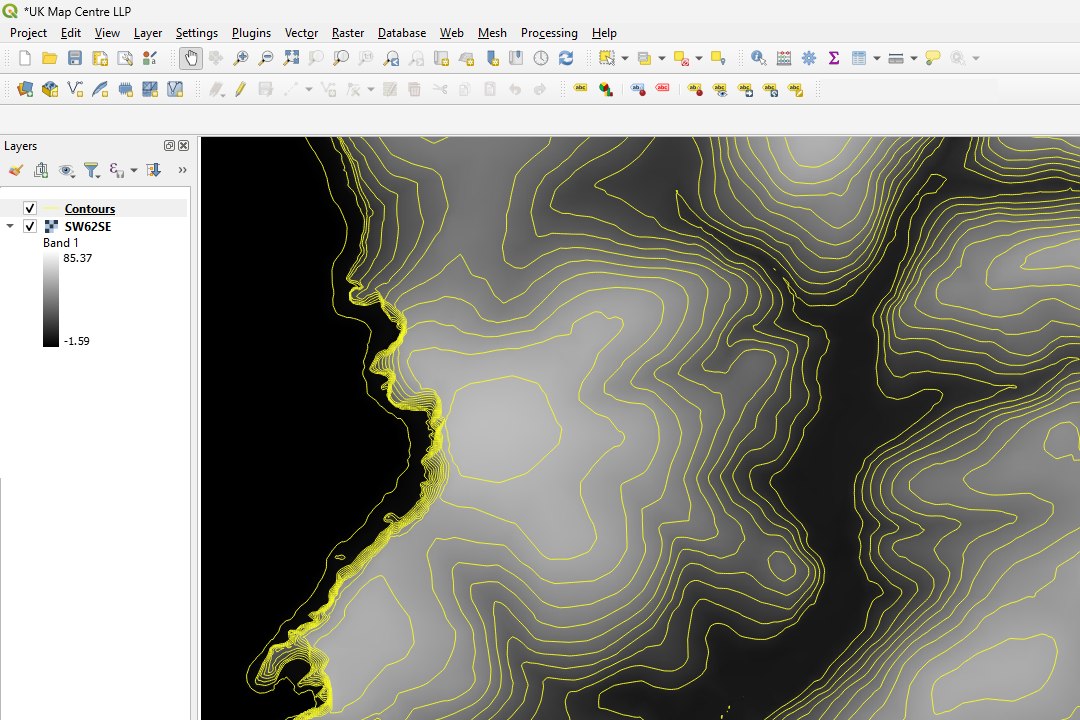
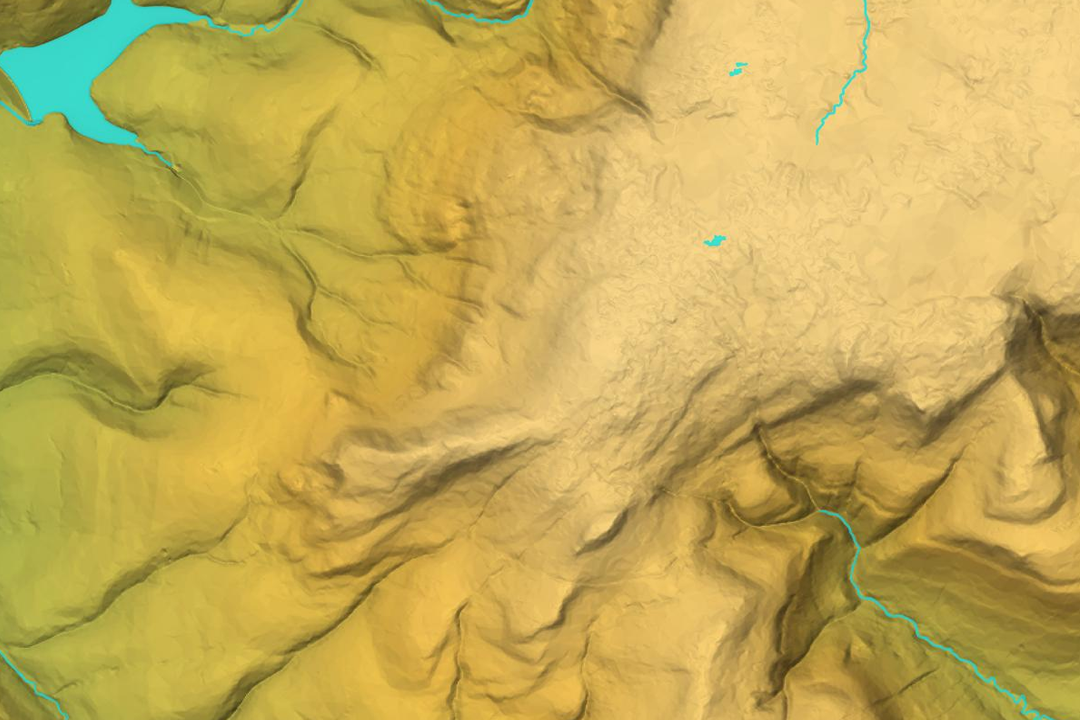
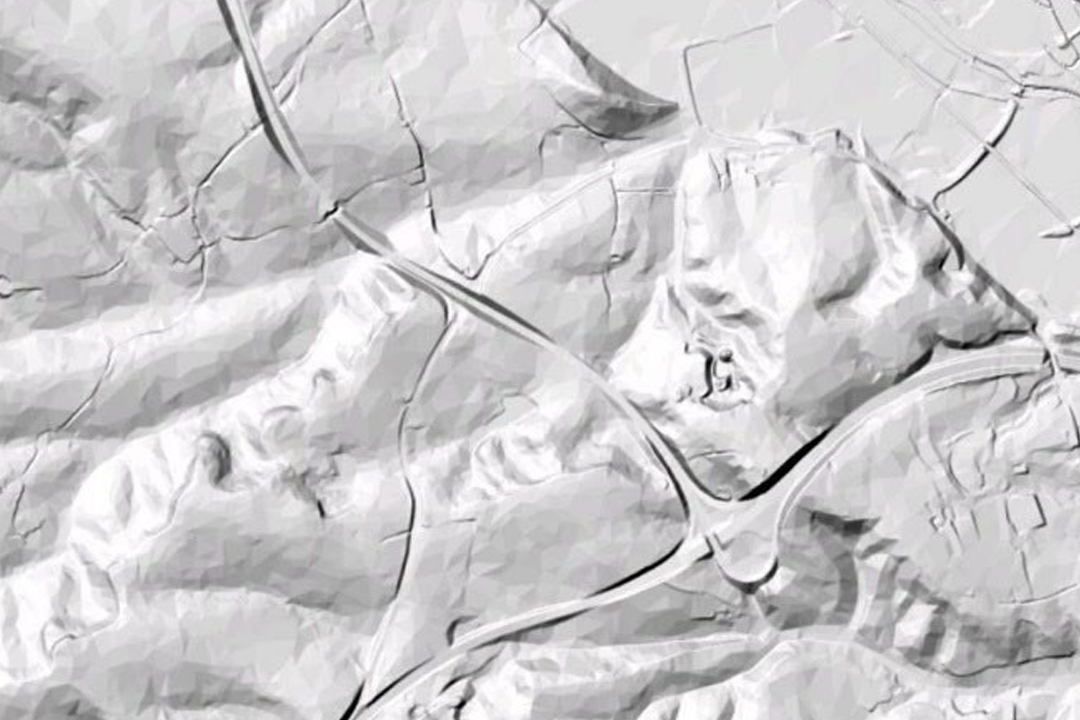

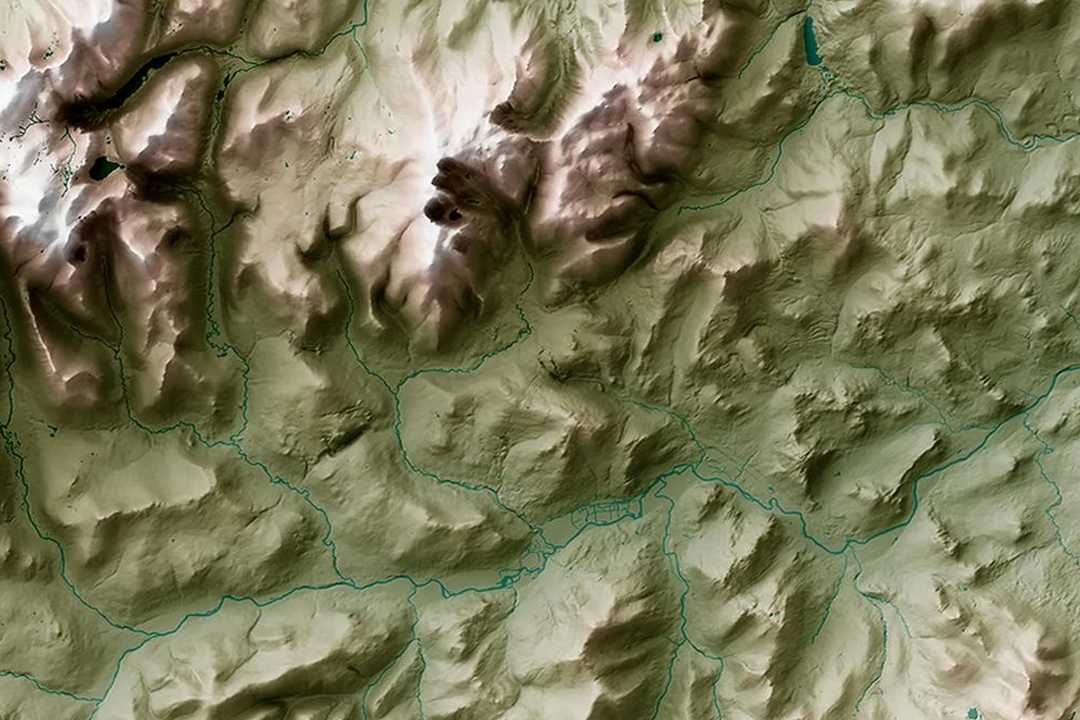
QGIS workflow: ASCII data loaded and 5-metre contours generated using QGIS contouring tools - fine control over contour intervals. 3D hillshade render from OS Terrain 5 sections - lochs, valleys and ridge patterns visualised in 3D terrain software. Greyscale shaded relief - subtle hillshade revealing elevation detail across mountain and valley terrain. Physical terrain model with carved contour lines - the raw height grid translated into tactile form for landscape understanding. 3D terrain surface showing valley and river networks - green and brown elevation rendering in GIS environment.
© Crown copyright and database rights 2026 OS AC0000848283
OS Terrain 5 ASCII Sections
- Custom rectangle - your area of interest
- ASCII grid (.asc) format
- 5-metre grid spacing
- Heights in metres above ODN
- No contours - generate your own in GIS
- Starting from 100m x 100m
- One file per section
- Updated quarterly
OS Terrain 5 ASCII Grid Sections - Height Data Trimmed to Your Site
OS Terrain 5 sections deliver a custom rectangle of raw ASCII (.asc) height grid data trimmed to your area of interest - unlike fixed 5 km x 5 km tiles that force you to buy unused coverage. Each section is a single file containing elevation posts on a 5-metre grid, with heights in metres above Ordnance Datum Newlyn (ODN), georeferenced to the British National Grid (EPSG:27700).
The ASCII format is universal - import it directly into QGIS, ArcGIS, Global Mapper, Mapnik or any GIS software that reads .asc raster grids. No contours are supplied with the data - instead, you generate contour lines at whatever interval you need using your GIS software. In QGIS, for example, you can create contours at 0.5 m, 1 m, 2 m, 5 m or any custom interval from the underlying 5-metre grid. That flexibility means one download serves multiple project needs.
Frame your area on the interactive map, choose your rectangle size, pay online and the ASCII grid file is emailed to you in around 30 minutes. Updated quarterly (January, April, July, October) so your elevation data always reflects the latest OS survey revisions.
What Is an OS Terrain 5 ASCII Section?
An ASCII section is a single, custom-sized rectangular file clipped to your area of interest. Unlike the fixed 5 km x 5 km tile product, there are no tile boundaries or overlaps - just your site, trimmed cleanly to size. The file contains raw elevation data arranged on a 5-metre grid, readable by any GIS package that supports ASC/ArcGrid format.
Pay Only for What You Need
Define your rectangle and buy exactly that footprint - from 100 m x 100 m up to the full GB extents. No wasted coverage, no tile overlap charges, no minimum purchase of multiple 5 km tiles. Smaller sites mean smaller files and faster downloads.
Generate Contours at Any Interval
The raw 5-metre grid is your starting point. In QGIS, ArcGIS or Global Mapper, use the built-in contouring tools to generate contour lines at 0.5 m, 1 m, 2 m, 5 m or any custom interval you choose - no need to buy different contour products for different project phases or uses.
One File No Tile Boundaries
A single seamless ASCII grid clipped to your boundary - no seaming between tiles, no overlapping coverage, no confusion about which tile covers which part of your site. Import it once and your entire study area is ready for analysis.
Unlimited GIS Outputs Under Licence
Once downloaded, you can generate contours, hillshades, aspect grids, slope maps, viewsheds and any other GIS analysis from the raw height data under your OS licence. One purchase unlocks multiple analytical outputs from the same underlying dataset.
Updated quarterly - OS Terrain 5 is refreshed every three months (January, April, July, October), so your elevation data reflects the latest survey revisions across Great Britain.
Not a GIS User?
If you work in CAD (AutoCAD, Civil 3D, BricsCAD) and want height data ready to use with pre-generated contour lines, see our OS Terrain 5 DTM for CAD product. We convert the raw grid into DWG and DXF format with contours at your chosen interval, so you can open the file and start working immediately without any GIS tools.
When Do I Need OS Terrain 5 ASCII Sections?
ASCII sections are designed for GIS professionals and technical analysts who need raw elevation data to drive their own spatial analysis workflows. Common uses include:
Flood Risk Modelling
Use the ASCII grid to model water flow paths, inundation extents and flood hazard zones in HEC-RAS, MIKE FLOOD or bespoke hydrological models. Raw height data with no pre-processed contours gives you control over the analytical workflow.
Drainage & Earthworks Design
Generate contours at 0.5 m or 1 m intervals for detailed site grading plans, cut-and-fill analysis, drainage network design and subsurface utility routing. The 5-metre grid captures sufficient detail for sub-metre earthworks calculations.
Slope Stability & Geotechnical Assessment
Calculate slope angle, aspect and upslope contributing area from the raw grid - inputs for slope stability analysis, landslide susceptibility mapping and geotechnical site characterisation in ArcGIS or QGIS.
Viewshed & Line of Sight Analysis
Model intervisibility, assess visual impact from proposed structures, plan utility corridors and evaluate landscape character using standard GIS viewshed tools built on the ASCII grid.
Wind Farm & Renewable Energy Siting
Assess wind exposure, plan solar panel orientation and evaluate terrain-based energy generation potential using topographic analysis of the raw height grid.
3D Visualisation & Fly-Through
Load the ASCII grid into 3D software (Blender, SketchUp, CityEngine) to create terrain models, animated fly-throughs and immersive landscape visualisations for design review and client communication.
Environmental Impact Assessment
Support EIA workflows with baseline terrain analysis - habitat suitability modelling, species movement corridors, surface water catchments and landscape character assessment built from accurate elevation data.
Landscape Architecture & Grading
Generate contours at your chosen interval and overlay them onto landscape masterplans for grading design, planting arrangement and hard landscaping layout that respects site topography.
Further Reading
Guides and tutorials to help you load and work with OS Terrain 5 ASCII data in GIS software:
- Turning an ASC File into Contours in QGIS
- How to Open GIS Raster Files in QGIS Easily
- OS Vector and Raster Mapping Fully Explained
About UK Map Centre LLP